Blog
Blog powered-by Notion. Manage content on Notion.
ship.pluv.io comes with a prebuilt blog powered by Notion X.
Important
This feature is only included for the following templates:
Cloudlare Monorepo
Vercel Monorepo
Setup Instructions
-
Create a Notion database
-
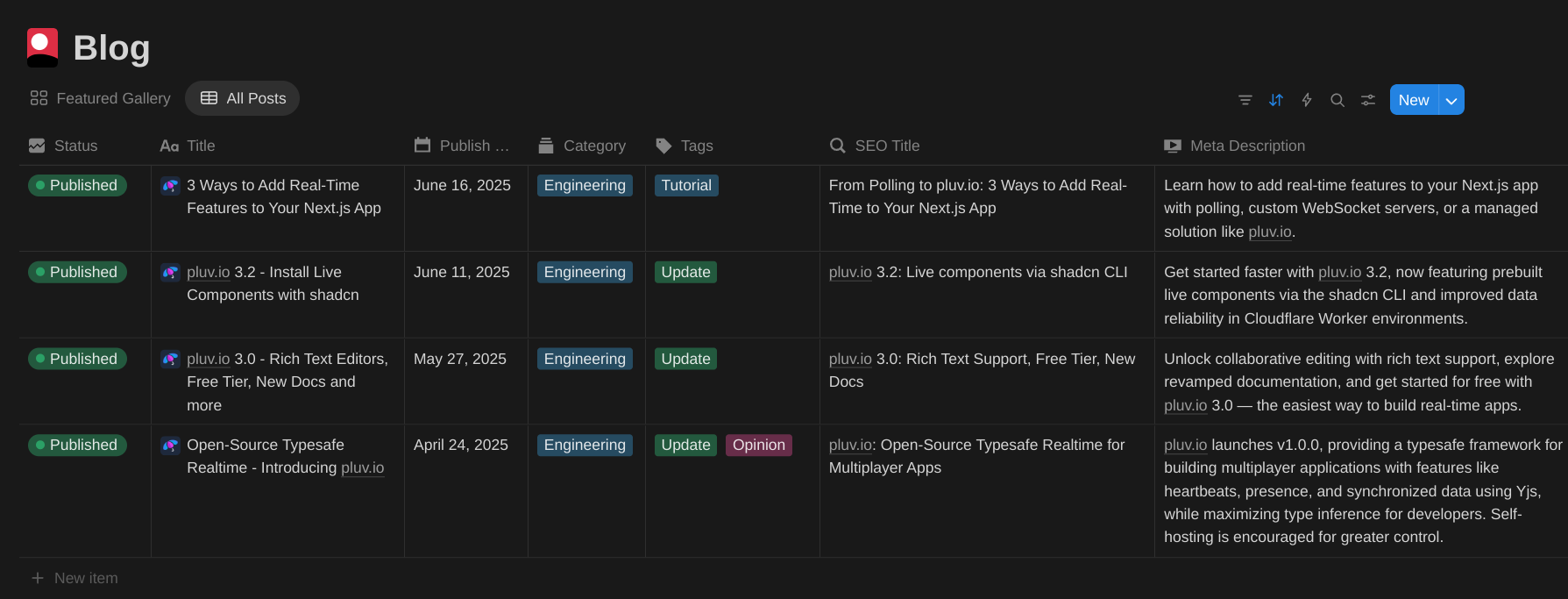
Add the following columns to your Notion database:
- Status
- Must have
Publishedas a valid value - Only blog pages with a status of
Publishedwill be made publicly viewable in your app.
- Must have
- Title
- Publish Date
- Category
- Tags
- SEO Title
- Meta Description
Your notion database should look something like this:
- Status
-
Get the root notion page id. You can do this by getting a link to the Notion database page. You'll get a URL like so:
https://www.notion.so/1ded8f15373a80afa690cc7ca19c39fe. The page id is the path parameter after the origin url (e.g. in this URL, it is1ded8f15373a80afa690cc7ca19c39fe).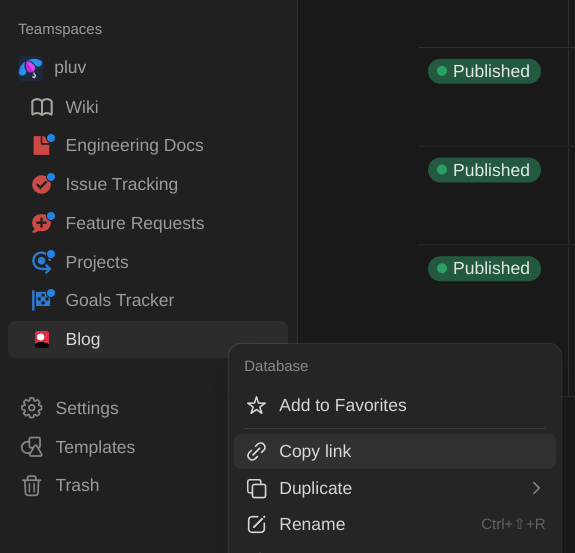
-
Set the
NEXT_PUBLIC_NOTION_ROOT_PAGE_IDenvironment variable in/apps/marketingto the page id you copied from step (3).
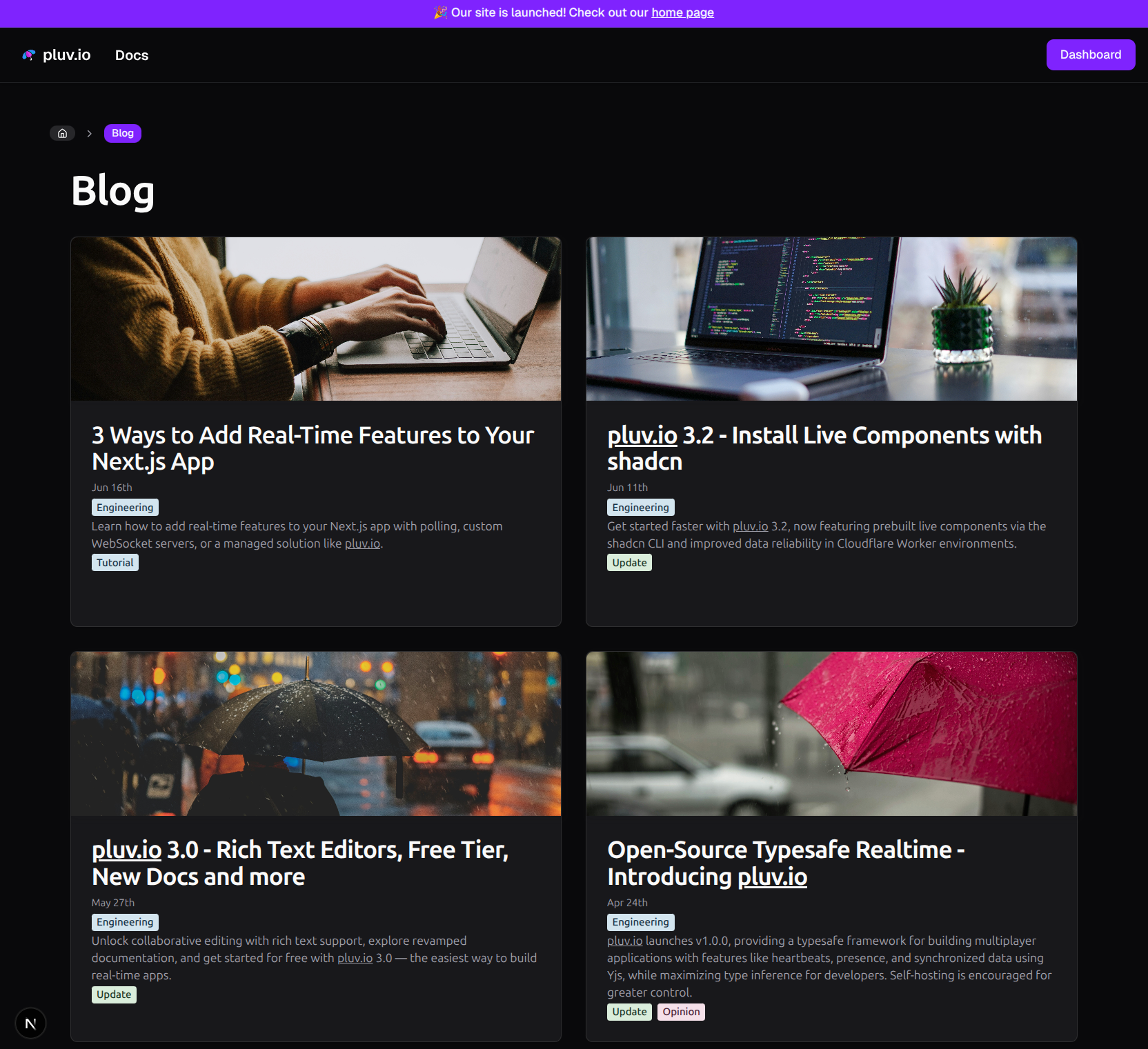
Preview
Blog root page
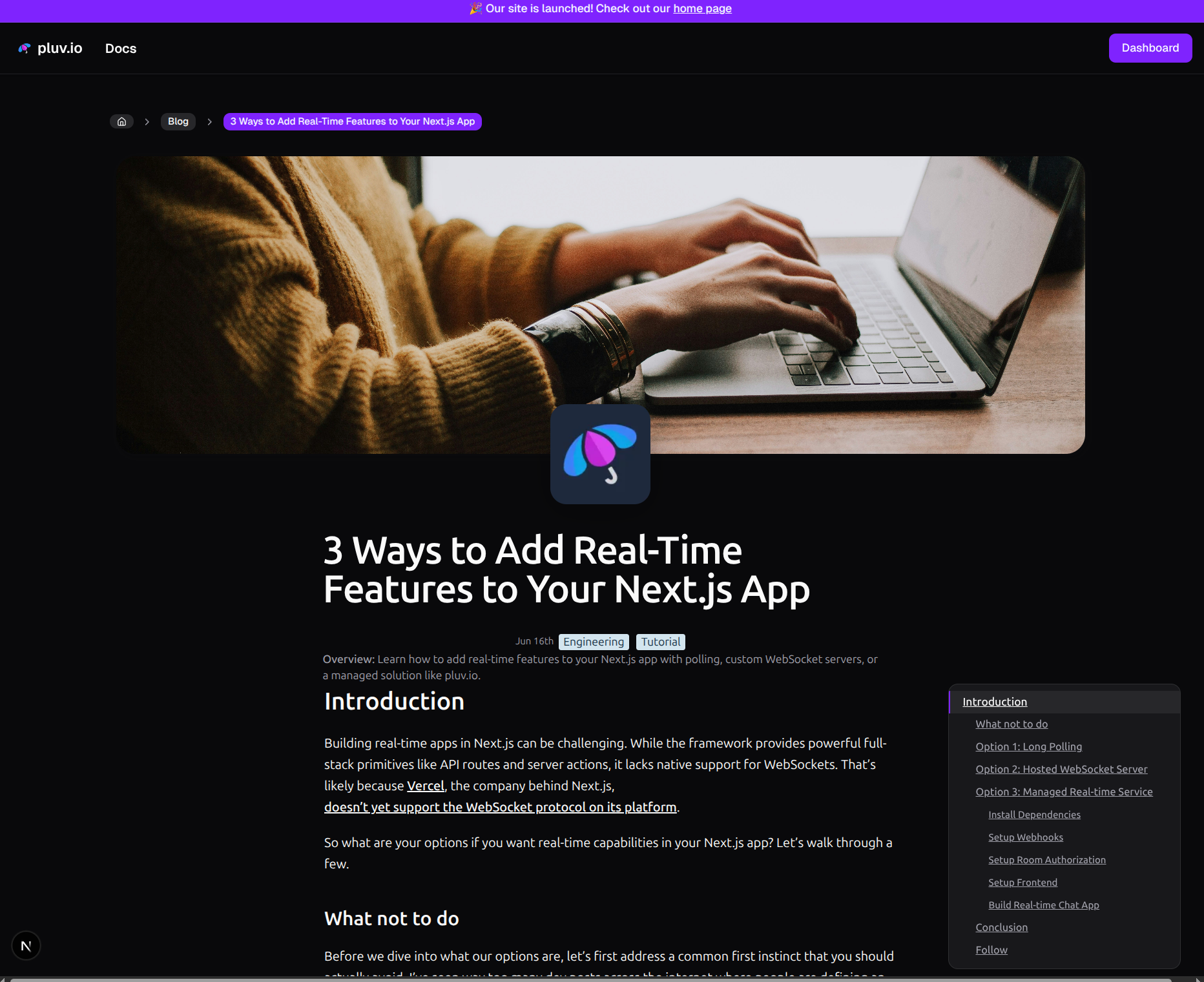
Blog page
Tips
- Consider configuring SEO Title and Meta Description to use AI autofill on Notion.
- You can do this by going to your Notion database, clicking on the SEO Title and/or Meta Description column header, then clicking "Set up AI autofill"